Your attorneys bill from memory.

Time gets rebuilt on Friday, invoices go out late and cases stall waiting on client documents. We build the systems that capture time, chase documents and run intake, so your attorneys spend their time practicing law.

Find my blind spots
Jay AwalJay Awal · Founder and Systems Architect

Example: an attorney wraps up the day

Where a law firm loses hours it already worked.

Example screen

Time that never gets billed

Attorneys rebuild their week from memory on Friday. The short calls and emails never make it onto the invoice.

Invoices out late, paid later

Billing waits until someone has time, and overdue invoices sit because nobody wants to send the reminder.

Clients who do not send documents

Cases stall while a paralegal keeps asking for the same records, one email at a time.

Consults that never sign

A good consult ends with "let me think about it." The engagement letter goes out once, and nobody follows up.

Admin eats the day

Most of an attorney’s day goes to work nobody can bill: intake, email, chasing and paperwork.

Inquiries that wait until morning

Website forms, texts and emails from potential clients sit overnight. By the time you reply, they may have signed with another firm.

Meet your time capture assistant.

It asks what got done while the day is fresh and turns the answer into draft entries. Your attorney approves every one. An example from the end of a workday. Your attorneys approve every entry before anything gets billed.

  1. End of the dayEach attorney gets one short text: what did you work on today?
  2. They reply in plain wordsA quick list, typed or spoken. No timer, no time sheet open.
  3. Drafts for reviewEach item becomes a draft entry, and the attorney edits or approves every one.
  4. Billing dayInvoices go out on schedule from approved time, and overdue ones get a polite reminder.

What slow replies and admin hours cost your firm this year.

Set it to match your business. Nothing is saved or sent. Sales and hours are counted separately.

A new lead hears back
Sales at risk from slow replies
$0
a year, estimated
Busywork that could run on its own0
What those paid hours cost you$0
Find my top 3 blind spots
How we calculate this

Sales at risk = leads a month × your close share × average value × 12 months × the share lost at your reply speed (0%, 30%, 55% or 70%, our planning assumptions). Busywork = 60% of your weekly hours at $35 an hour for 50 weeks. These are estimates, not promises.

Jay Awal, Founder and Systems Architect

Built by an owner, for owners.

Jay Awal has been the owner doing everything by hand at midnight. He started DispatchCo to build owner-run businesses the same kinds of systems his own businesses run on.

  • We run on it first. Jay's own businesses run on DM replies, follow-up and content systems like the ones on this page.
  • We teach it. 30+ stages, plus an AI build cohort for owners.
  • We show up. Every build starts hands-on with our team.

What we usually build first.

Daily time capture

A short end-of-day text turns what each attorney did into draft entries they approve.

Billing follow-up

Invoices go out on time and overdue ones get a polite reminder.

Document chasing

Clients get a personal list and reminders for only what is missing.

Intake to engagement

One clean path from first inquiry to signed engagement letter, with follow-up after the consult.

Firms often run Clio, MyCase, PracticePanther, Smokeball or Lawmatics. We build around what you have and check how it connects before we quote.

Who owns each job, before and after.

Your attorneys keep the judgment. Your staff stops chasing.

The jobTodayAfter
Capturing billable timeAttorney, rebuilt on FridayAsked daily by text, attorney approves
Billing remindersBookkeeper, lateSent on schedule
Requesting documentsParalegal, repeat emailsPersonal list with reminders
Following up after consultsStaff, if there is timeNext step until they sign or say no
Engagement lettersStaff, by handSent after an attorney approves
Legal advice and accepting clientsYour attorneysYour attorneys, always

The rules we build around.

No legal advice

It makes clear it is not a lawyer, does not create a client relationship and sends legal questions to your attorneys.

Confidentiality comes first

We check each vendor’s data terms against your professional duties, and keep client matters out of any tool you have not cleared.

Attorneys stay responsible

Bar rules on AI, advertising and supervision vary by state. A lawyer at your firm reviews the setup and signs off before launch.

Plan it. Build it. Teach it. Pick one or all three.

Every system comes with training for the people who run it.

Blueprint

Know what to build first and what it's worth.

For owners who want to know where AI pays off first.

  • Maps every step from first call to final invoice
  • Your AI org chart: your team plus the agents beside them
  • A ranked plan with the dollar value of each fix
Start with the audit

Credited toward your Deployment

Deployment

Your first system running in 30 days.

For owners who want it built and running.

  • Playbooks written first, then automated
  • Connects intake, documents and billing to your case management
  • Your team trained to run it without you
Find my blind spots

Scoped from your Blind Spot Audit

Workshop

Your team builds its own agents on real work.

For teams that need to use AI every day.

  • In person, at your office
  • Your attorneys and staff learn it on real matters, and it is reviewed against your ethics rules
  • Scored before and again at 60 days
Start with the audit

Scoped from your Blind Spot Audit

No surprises. You see the full scope and price before any work starts.

Inside a real build.

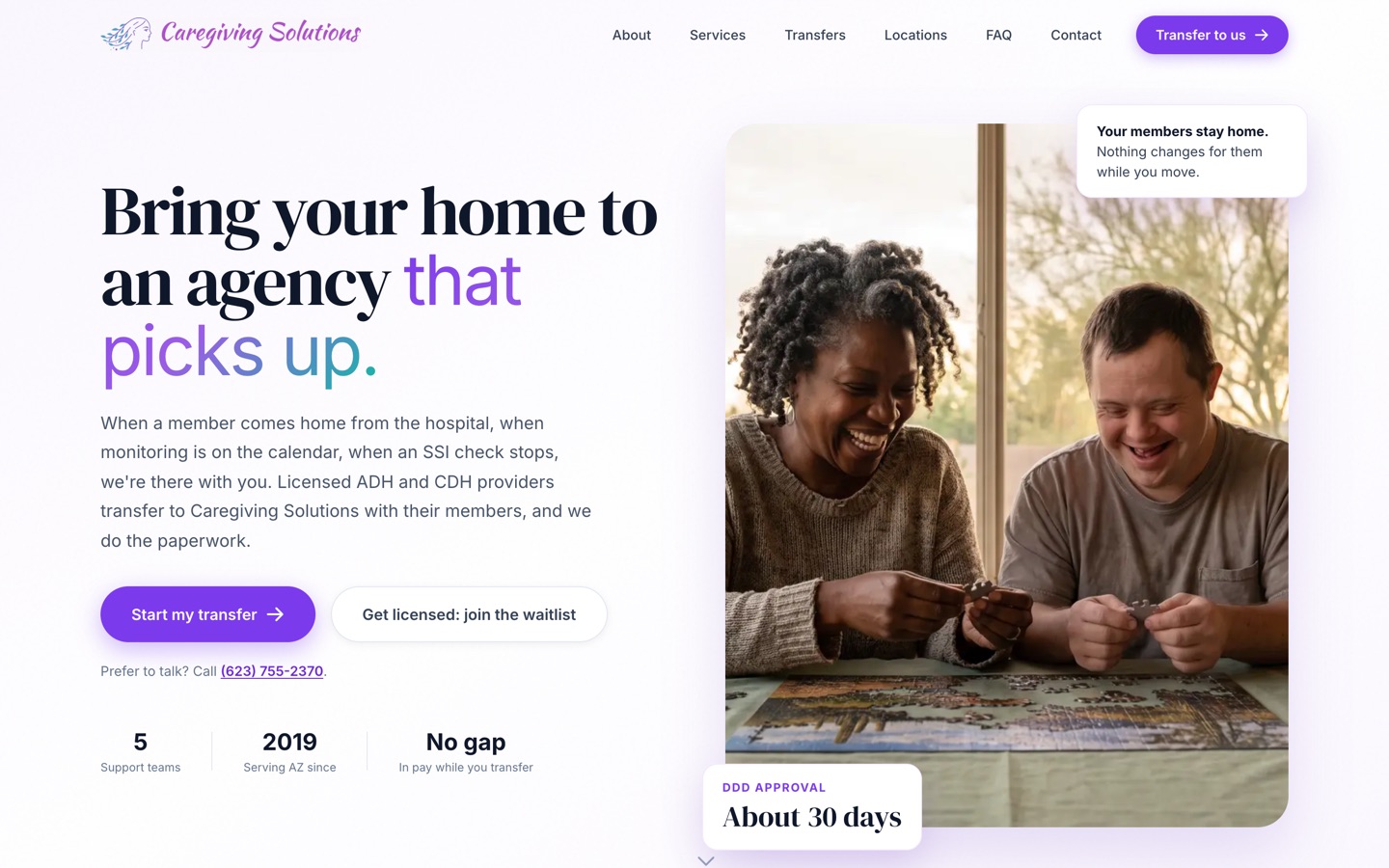
Our published case study is a care agency, not a legal business. The problem was the same: work sat waiting for someone to send the next step. We moved their forms online and built a back end that sends it on its own. Licensing went from about 6 months to under 90 days, depending on the state agency.

See the Caregiving Solutions build
The current Caregiving Solutions homepage

Three steps. First system live in 30 days.

Today · 3 minutes

Take the Blind Spot Audit

10 questions. See your score and top 3 blind spots right away.

Start my audit
This week · 30 minutes

Walk through it with Jay

30 minutes on Zoom. We go over your report, check the numbers and agree on the first fix.

Day 30

We build it with your team

Biggest blind spot first, with your people trained to run it. The next system follows by day 90.

We don't start strong and disappear.

  • Every build starts hands-on with our team. We build alongside your people from week 1 to launch.
  • You hear from us every week. A 30-minute check-in for the length of the build.
  • You see the number. We time the jobs in week 1, both sign it, and time them again at day 90.
  • You keep everything. Every system, login and document stays yours. Stop anytime.

10 hours a week back by day 90, or we build one more system free.

For Deployment clients. The extra system is no bigger than the smallest one in your Deployment, and it's delivered within 30 days.

  • How we measure itIn week 1 we time the jobs we're automating with you, and we both sign that number. At day 90 we time them again the same way.
  • Your partThe week-1 timing, fast access and approvals, the weekly check-in, and running the work through the systems. Full terms are in the FAQ.

What a good month looks like by day 90.

Time gets captured the same day

Attorneys answer one text a day, and approve the drafts.

Billing goes out on time

Invoices and reminders run on schedule.

Files move again

Document requests keep going without a paralegal asking.

Questions owners ask.

Is this allowed under bar rules?

Lawyers can use technology, with duties around competence, confidentiality and supervision. Rules vary by state, so your firm makes the final call. We build the setup so you can review it.

Could an intake bot create an attorney-client relationship?

That is a real risk, so the wording makes clear it is not a lawyer and that no relationship exists until your firm says so. Your attorneys approve that wording.

Are we too small for this?

Solo and small firms often feel unbilled time the most, since the attorney doing the work is also the one doing the billing. The 3-minute Blind Spot Audit shows whether it would pay at your size.

What if it gets something wrong?

It only does what your rules allow, and your team can see and change everything. We test against your real situations before it goes live, and we watch it closely in the first weeks.

Is client information going into a public AI tool?

No. We keep client matters out of any tool your firm has not cleared, and we walk you through each vendor and its terms first.

I have paid vendors before and got nothing. Why is this different?

You own every system, login and document. You see the work at a weekly check-in, and you can stop anytime and keep what is built. Deployment clients also get a written guarantee, measured against a baseline we both sign in week 1.

What does it cost?

It depends on what we build, so we scope it from your Blind Spot Audit and a call. A 6-person shop and a 60-person company need different things. You see the full scope and price before any work starts.

Will my team actually use it?

We build it inside the software they already log into, write the playbooks with them and train them on their own real work. People use what they helped shape.

How much of my time does this take?

About 30 minutes a week to approve things and tell us what's off. You know your business, we know the build.

Am I locked in?

No. Blueprint, Deployment and Workshop are separate decisions. Stop after any of them and keep everything we made.

How does the 10-hour guarantee work?

It comes with every Deployment. In week 1 we time the jobs we're automating with you and we both sign that number. At day 90 we time them again the same way. If your team isn't saving 10 hours a week, we build one more system free, no bigger than the smallest one in your Deployment, within 30 days. It applies when you've done your part: the week-1 timing, access within 5 business days, the weekly check-in, playbook approvals within 3 business days, and running the work through the systems.

See what to take off your plate first. It takes 3 minutes.

The Blind Spot Audit shows where AI and systems would save you the most time and money. See your score and top 3 blind spots right away.

10 questionsResults right away

Find my blind spots10 questions · Results right away