Patients don’t rebook on their own.

Every visit that isn’t rebooked is a patient drifting somewhere else. We build the systems that remind, rebook and answer the repeat questions, so your front desk stays with the person in front of them.

Find my blind spots
Jay AwalJay Awal · Founder and Systems Architect

Example: a patient is due to rebook

Where a full schedule quietly falls apart.

Example screen

Patients who never rebook

Injectables, facials and follow-up visits all run on a schedule. If nobody reaches out when the next one is due, that patient drifts to whoever messages them first.

Consults that go nowhere

Someone comes in for a consult, takes the treatment plan home and never hears from you again. The interest was there. The follow-up wasn’t.

Late cancels that leave holes

A same-day cancel leaves a provider idle unless someone fills the slot from the waitlist fast.

Everything waits on you

Schedule exceptions, staff questions and unhappy patients all land on the owner or one lead provider. Taking a week off feels impossible.

Treatment series that stop halfway

Patients buy a series, come for a few sessions and drift. Nobody notices until the package sits unused.

Inquiries waiting overnight

People ask about treatments at night through Instagram, texts and your website, while the desk repeats pricing and prep answers all day. The ones who hear nothing book somewhere else.

Meet your rebooking desk.

It knows when each patient is due for their next visit and reaches out at the right time, in your wording. An example of how one rebooking can run. It only uses the messages, timing and rules your practice approves.

  1. Visit dayA patient finishes a treatment. The system notes the service and when the next visit is usually due, using the timing your providers set.
  2. When it’s dueA short text goes out in your wording with two open times.
  3. They pick oneThe patient replies with a time and the calendar updates. Anything clinical goes to your licensed staff.
  4. No replyOne more gentle note follows on your schedule. After that, your front desk gets a short list of patients to reach personally.

What slow replies and front desk busywork cost your practice this year.

Set it to match your business. Nothing is saved or sent. Sales and hours are counted separately.

A new lead hears back
Sales at risk from slow replies
$0
a year, estimated
Busywork that could run on its own0
What those paid hours cost you$0
Find my top 3 blind spots
How we calculate this

Sales at risk = leads a month × your close share × average value × 12 months × the share lost at your reply speed (0%, 30%, 55% or 70%, our planning assumptions). Busywork = 60% of your weekly hours at $35 an hour for 50 weeks. These are estimates, not promises.

Jay Awal, Founder and Systems Architect

Built by an owner, for owners.

Jay Awal has been the owner doing everything by hand at midnight. He started DispatchCo to build owner-run businesses the same kinds of systems his own businesses run on.

  • We run on it first. Jay's own businesses run on DM replies, follow-up and content systems like the ones on this page.
  • We teach it. 30+ stages, plus an AI build cohort for owners.
  • We show up. Every build starts hands-on with our team.

What we usually build first.

Rebooking outreach

Patients due for their next visit hear from you at the right time for that service, with open times to pick from.

Consult follow-up

People who came in for a consult get short, approved follow-ups until they book or say no.

Reminders that work both ways

Patients confirm, reschedule or cancel by replying, and open slots get offered to your waitlist.

Inquiry replies

Website, Instagram and text inquiries get your approved answers and a booking link.

Practices often run Boulevard, Zenoti, Vagaro or Mindbody, or a practice management system or EHR. How much can connect depends on the system, so we check yours before we quote.

Who owns each job, before and after.

Your front desk keeps the patient relationship. The repeat work moves.

The jobTodayAfter
Rebooking on scheduleProvider reminder, if time allowsTimed outreach for each service
Following up after consultsFront desk, when there is timeApproved follow-ups until they book or decline
Confirming appointmentsStaff, by phoneTwo-way text reminders
Filling cancellationsStaff, working a listWaitlist offer goes out automatically
New inquiries and repeat questionsFront desk, between patientsApproved answers and a booking link, staff handle anything unusual
Clinical questionsLicensed staffLicensed staff, always

The rules we build around.

Patient information

Any vendor that touches protected health information needs a signed business associate agreement. We confirm that for each tool before it goes near patient data.

No medical advice

Systems stick to scheduling and approved information. Clinical questions go to your licensed staff.

Your compliance lead decides

We design around HIPAA and your state rules, and your own counsel or compliance lead signs off before launch.

Plan it. Build it. Teach it. Pick one or all three.

Every system comes with training for the people who run it.

Blueprint

Know what to build first and what it's worth.

For owners who want to know where AI pays off first.

  • Maps every step from first inquiry to rebooked patient
  • Your AI org chart: your team plus the agents beside them
  • A ranked plan with the dollar value of each fix
Start with the audit

Credited toward your Deployment

Deployment

Your first system running in 30 days.

For owners who want it built and running.

  • Playbooks written first, then automated
  • Connects messaging and reminders to your scheduling system
  • Your team trained to run it without you
Find my blind spots

Scoped from your Blind Spot Audit

Workshop

Your team builds its own agents on real work.

For teams that need to use AI every day.

  • In person, at your office
  • Your front desk and providers learn it with real scenarios
  • Scored before and again at 60 days
Start with the audit

Scoped from your Blind Spot Audit

No surprises. You see the full scope and price before any work starts.

Inside a real build.

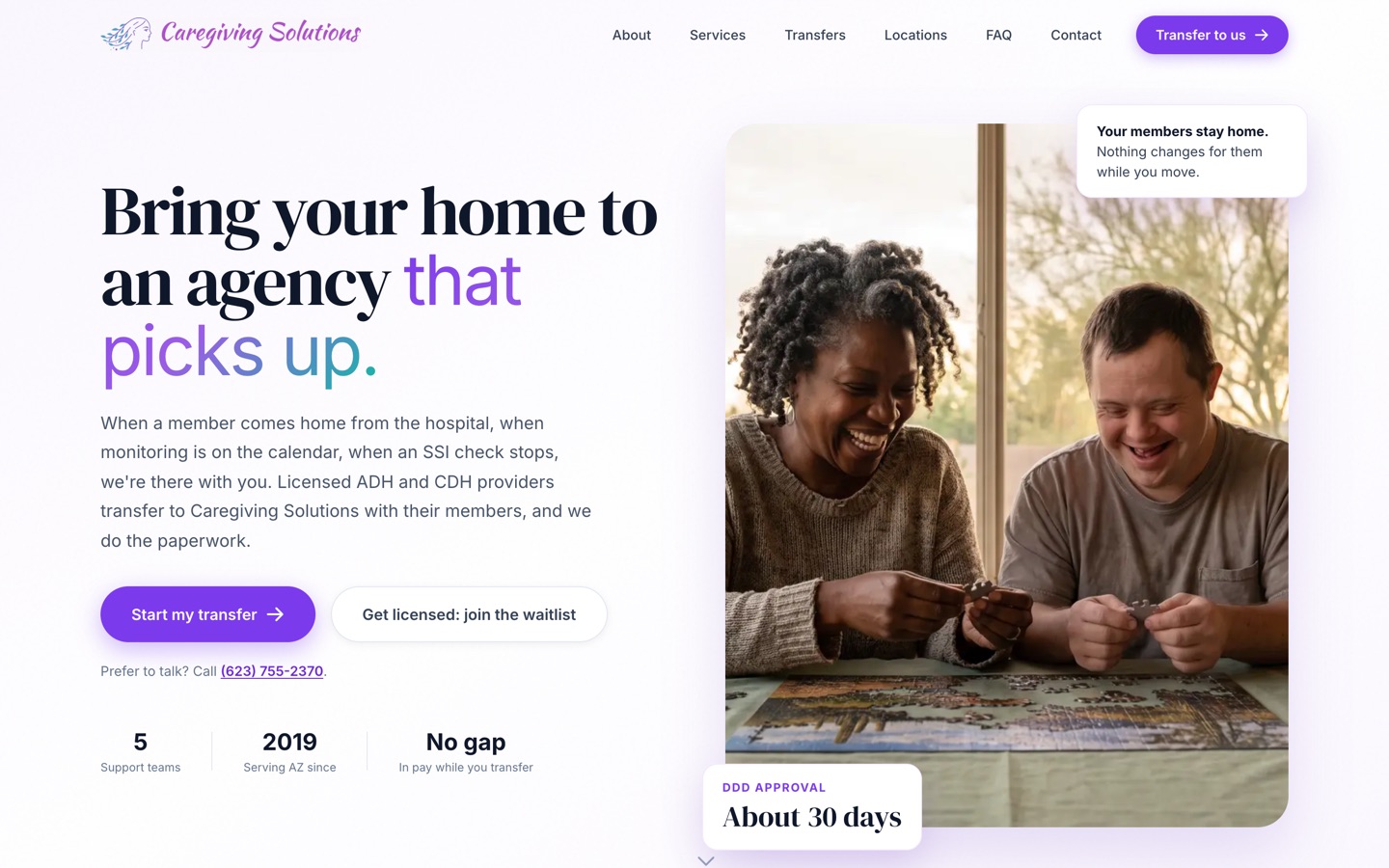
Our published case study is a care agency, not a clinic or med spa business. The problem was the same: work sat waiting for someone to send the next step. We moved their forms online and built a back end that sends it on its own. Licensing went from about 6 months to under 90 days, depending on the state agency.

See the Caregiving Solutions build
The current Caregiving Solutions homepage

Three steps. First system live in 30 days.

Today · 3 minutes

Take the Blind Spot Audit

10 questions. See your score and top 3 blind spots right away.

Start my audit
This week · 30 minutes

Walk through it with Jay

30 minutes on Zoom. We go over your report, check the numbers and agree on the first fix.

Day 30

We build it with your team

Biggest blind spot first, with your people trained to run it. The next system follows by day 90.

We don't start strong and disappear.

  • Every build starts hands-on with our team. We build alongside your people from week 1 to launch.
  • You hear from us every week. A 30-minute check-in for the length of the build.
  • You see the number. We time the jobs in week 1, both sign it, and time them again at day 90.
  • You keep everything. Every system, login and document stays yours. Stop anytime.

10 hours a week back by day 90, or we build one more system free.

For Deployment clients. The extra system is no bigger than the smallest one in your Deployment, and it's delivered within 30 days.

  • How we measure itIn week 1 we time the jobs we're automating with you, and we both sign that number. At day 90 we time them again the same way.
  • Your partThe week-1 timing, fast access and approvals, the weekly check-in, and running the work through the systems. Full terms are in the FAQ.

What a good week looks like by day 90.

Patients return on time

Follow-ups match each treatment’s real timing, so fewer patients drift away.

Fewer empty chairs

Cancellations get offered to the people who want them, right away.

A calmer front desk

Staff stay with the person in the room while the repeat messages go out on their own.

Questions owners ask.

Is this HIPAA compliant?

Compliance comes down to the setup, the vendors and your policies, so no firm can promise it with one word. We only use tools that will sign a business associate agreement for patient data, and we keep patient details out of anything that will not.

Will this feel cold to my patients?

It uses your wording and your approved answers, and your team reads every message before launch. Anything clinical or personal goes to a person, so your staff has more time for the human part of the visit.

Does this replace my front desk?

No. It takes the repeat work off their plate. Most practices want the same people with more breathing room.

Can it work with our EHR?

It depends on the system and the access it allows. Some connect cleanly and some do not. We check yours before quoting and tell you plainly what is and is not possible.

What happens when a patient asks a medical question?

It does not answer. It flags your licensed staff and tells the patient someone will follow up.

I've been burned by a vendor before. Why is this different?

Every build starts hands-on with our team, and you get a 30-minute check-in every week for the length of the build. Everything is built in your own accounts. We time the jobs in week 1 and again at day 90, so you see the result in hours, and you can stop anytime and keep what's built.

What does it cost?

It depends on what we build, so we scope it from your Blind Spot Audit and a call. A 6-person shop and a 60-person company need different things. You see the full scope and price before any work starts.

Will my team actually use it?

We build it inside the software they already log into, write the playbooks with them and train them on their own real work. People use what they helped shape.

How much of my time does this take?

About 30 minutes a week to approve things and tell us what's off. You know your business, we know the build.

Am I locked in?

No. Blueprint, Deployment and Workshop are separate decisions. Stop after any of them and keep everything we made.

How does the 10-hour guarantee work?

It comes with every Deployment. In week 1 we time the jobs we're automating with you and we both sign that number. At day 90 we time them again the same way. If your team isn't saving 10 hours a week, we build one more system free, no bigger than the smallest one in your Deployment, within 30 days. It applies when you've done your part: the week-1 timing, access within 5 business days, the weekly check-in, playbook approvals within 3 business days, and running the work through the systems.

See what to take off your plate first. It takes 3 minutes.

The Blind Spot Audit shows where AI and systems would save you the most time and money. See your score and top 3 blind spots right away.

10 questionsResults right away

Find my blind spots10 questions · Results right away