A vacant unit costs you every day.

Prospects message several listings at once, and the first useful reply wins the showing. We build the systems that answer leasing questions, sort maintenance and keep owners updated, inside the software you already run.

Find my blind spots
Jay AwalJay Awal · Founder and Systems Architect

Example: a prospect toured this afternoon

Where a property manager loses rent it should have kept.

Example screen

Prospects who never hear back

A renter asks about a unit and waits for a reply. Meanwhile they messaged other listings the same night.

Renewals left to the last month

Nobody reaches out until the lease is almost up, and a good tenant has already signed somewhere else.

Turnovers that drag

Move-out, cleaning, repairs and photos each wait on a call or an email, so the unit lists later than it should.

‘Where is my repair?’ all day

Tenants and owners chase you for updates because work orders move by phone tag.

Every question runs through you

Owners, tenants and vendors all want the property manager. You can’t take a day off without your phone going all day.

Messages that wait

Leasing forms, tenant texts and maintenance emails pile up between showings. The prospect who waited moves on to the next listing.

Meet your leasing follow-up.

Every prospect who tours gets a next step, and your leasing agent only steps in where a person should. An example of a showing that turns into a lease. Your written criteria and approved wording go in before it contacts anyone.

  1. After the showingThe prospect gets a thank you and the application link the same day.
  2. Partly doneThe system sees what is missing and asks only for that, by text.
  3. Still quietReminders continue on your schedule, then your leasing agent gets a task to reach out.
  4. CompleteThe application lands with your team, who review it against your written criteria and decide.

What slow leasing follow-up and busywork cost this year.

Set it to match your business. Nothing is saved or sent. Sales and hours are counted separately.

A new lead hears back
Sales at risk from slow replies
$0
a year, estimated
Busywork that could run on its own0
What those paid hours cost you$0
Find my top 3 blind spots
How we calculate this

Sales at risk = leads a month × your close share × average value × 12 months × the share lost at your reply speed (0%, 30%, 55% or 70%, our planning assumptions). Busywork = 60% of your weekly hours at $35 an hour for 50 weeks. These are estimates, not promises.

Jay Awal, Founder and Systems Architect

Built by an owner, for owners.

Jay Awal has been the owner doing everything by hand at midnight. He started DispatchCo to build owner-run businesses the same kinds of systems his own businesses run on.

  • We run on it first. Jay's own businesses run on DM replies, follow-up and content systems like the ones on this page.
  • We teach it. 30+ stages, plus an AI build cohort for owners.
  • We show up. Every build starts hands-on with our team.

What we usually build first.

Showing to application

Every prospect gets a next step after the tour, and missing pieces get chased.

Renewal outreach

Tenants hear from you well before the lease ends, and your team handles the terms.

Maintenance intake

Requests get sorted by your rules and turned into work orders with photos. Emergencies page your on-call person.

Owner updates

Owners get plain updates as work moves, so fewer of them need to ask.

Property managers often run AppFolio, Buildium, Rent Manager or Yardi Breeze. We build around what you have and check how it connects before we quote.

Who owns each job, before and after.

Your property managers keep the relationships. The chasing moves.

The jobTodayAfter
Following up after showingsLeasing agent, if there is timeApplication link and reminders, agent reviews
Lease renewalsProperty manager, near the end dateOutreach starts early, team sets terms
Maintenance requestsOffice and on-call, every messageSorted first, emergencies paged
Vendor schedulingOffice, phone tagVendor and tenant get updates
Owner updatesProperty manager, by emailSent as work moves
Legal notices and disputesYour teamYour team, always

The rules we build around.

Fair housing

Replies stay on the unit and the logistics, follow your written criteria and treat every prospect the same way.

Emergencies go to people

Gas smells, fire and anything unsafe follow your script, with 911 first when lives are at risk, and your on-call person gets paged.

Legal notices stay with you

Late notices, deposits and evictions follow state rules, so those stay with your team and your attorney.

Plan it. Build it. Teach it. Pick one or all three.

Every system comes with training for the people who run it.

Blueprint

Know what to build first and what it's worth.

For owners who want to know where AI pays off first.

  • Maps every call, work order and leasing step
  • Your AI org chart: your team plus the agents beside them
  • A ranked plan with the dollar value of each fix
Start with the audit

Credited toward your Deployment

Deployment

Your first system running in 30 days.

For owners who want it built and running.

  • Playbooks written first, then automated
  • Connects phones, leasing and work orders to your software
  • Your team trained to run it without you
Find my blind spots

Scoped from your Blind Spot Audit

Workshop

Your team builds its own agents on real work.

For teams that need to use AI every day.

  • In person, at your office
  • Your office and on-call team learn it on real requests
  • Scored before and again at 60 days
Start with the audit

Scoped from your Blind Spot Audit

No surprises. You see the full scope and price before any work starts.

Inside a real build.

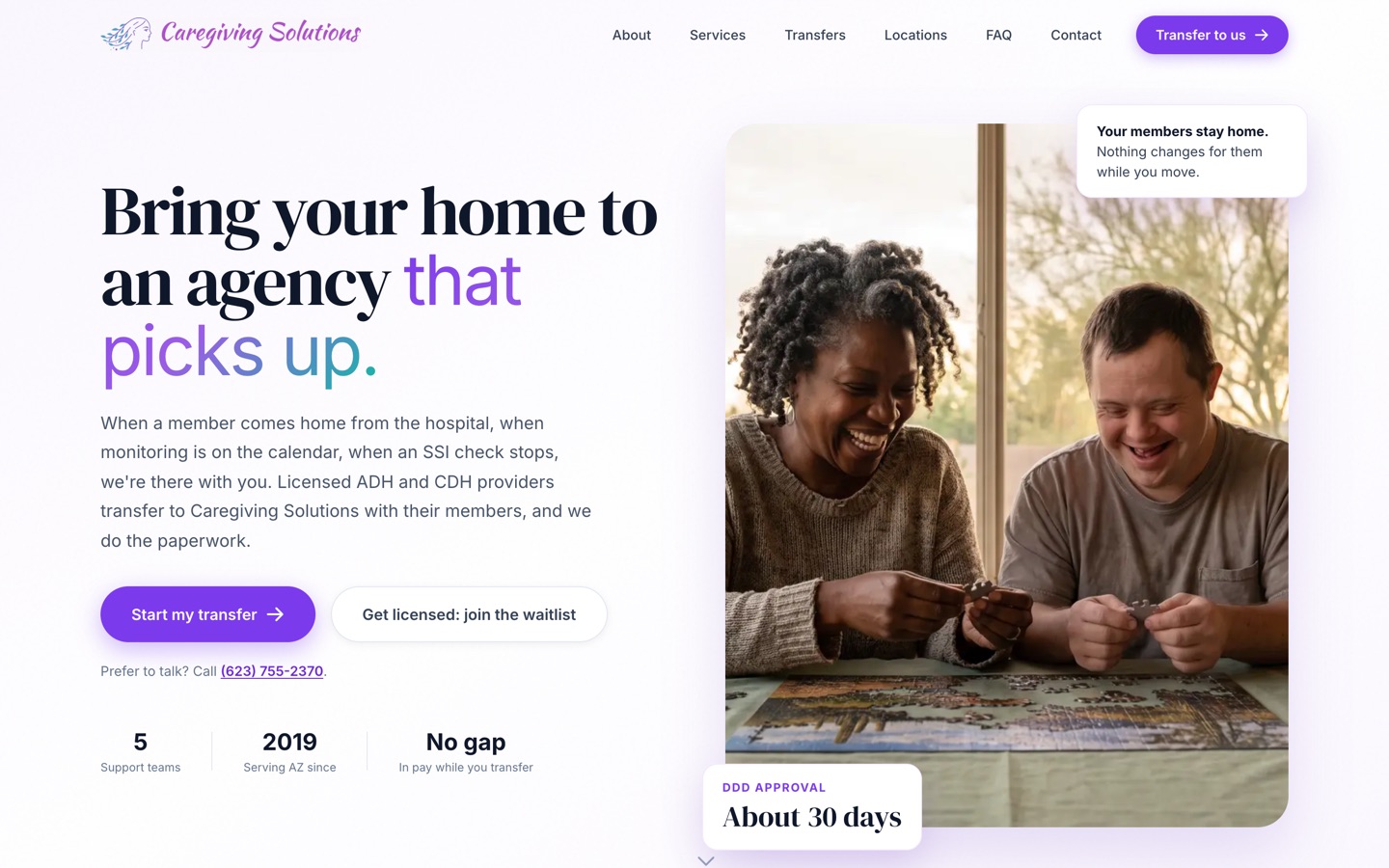
Our published case study is a care agency, not a property management business. The problem was the same: work sat waiting for someone to send the next step. We moved their forms online and built a back end that sends it on its own. Licensing went from about 6 months to under 90 days, depending on the state agency.

See the Caregiving Solutions build
The current Caregiving Solutions homepage

Three steps. First system live in 30 days.

Today · 3 minutes

Take the Blind Spot Audit

10 questions. See your score and top 3 blind spots right away.

Start my audit
This week · 30 minutes

Walk through it with Jay

30 minutes on Zoom. We go over your report, check the numbers and agree on the first fix.

Day 30

We build it with your team

Biggest blind spot first, with your people trained to run it. The next system follows by day 90.

We don't start strong and disappear.

  • Every build starts hands-on with our team. We build alongside your people from week 1 to launch.
  • You hear from us every week. A 30-minute check-in for the length of the build.
  • You see the number. We time the jobs in week 1, both sign it, and time them again at day 90.
  • You keep everything. Every system, login and document stays yours. Stop anytime.

10 hours a week back by day 90, or we build one more system free.

For Deployment clients. The extra system is no bigger than the smallest one in your Deployment, and it's delivered within 30 days.

  • How we measure itIn week 1 we time the jobs we're automating with you, and we both sign that number. At day 90 we time them again the same way.
  • Your partThe week-1 timing, fast access and approvals, the weekly check-in, and running the work through the systems. Full terms are in the FAQ.

What a good month looks like by day 90.

Every showing has a next step

Prospects get the application and reminders without anyone remembering to send them.

Renewals start earlier

Tenants hear from you before they start looking.

Fewer "where is my repair" messages

Tenants and owners get updates without asking.

Questions owners ask.

Will tenants hate talking to AI?

Tenants mostly want a fast answer and to know what happens next. Anyone who asks for a person gets one, and we recommend being upfront about what they are talking to.

Does it decide who gets the unit?

No. It sends links, reminders and next steps. Your team reviews every application against your written criteria and makes the call.

Does it work for a small portfolio?

It depends on your door count and how much time goes to follow-up and coordination. The 3-minute Blind Spot Audit shows whether it would pay at your size.

What if it gets something wrong?

It only does what your rules allow, and your team can see and change everything. We test against your real situations before it goes live, and we watch it closely in the first weeks.

Do I need to switch from AppFolio or Buildium?

No. If your software already does part of the job, we set that up first instead of selling you something new. If something cannot connect, we tell you during the Blueprint, before you pay for a build.

We already pay an after-hours answering service.

Most services take a message and pass it on. This sorts the request by your rules, creates the work order with photos and pages on-call only for real emergencies. If your service works well, keep it. We look at what happens after the message, which is usually where the time goes.

I have paid vendors before and got nothing. Why is this different?

You own every system, login and document. You see the work at a weekly check-in, and you can stop anytime and keep what is built. Deployment clients also get a written guarantee, measured against a baseline we both sign in week 1.

What does it cost?

It depends on what we build, so we scope it from your Blind Spot Audit and a call. A 6-person shop and a 60-person company need different things. You see the full scope and price before any work starts.

Will my team actually use it?

We build it inside the software they already log into, write the playbooks with them and train them on their own real work. People use what they helped shape.

How much of my time does this take?

About 30 minutes a week to approve things and tell us what's off. You know your business, we know the build.

Am I locked in?

No. Blueprint, Deployment and Workshop are separate decisions. Stop after any of them and keep everything we made.

How does the 10-hour guarantee work?

It comes with every Deployment. In week 1 we time the jobs we're automating with you and we both sign that number. At day 90 we time them again the same way. If your team isn't saving 10 hours a week, we build one more system free, no bigger than the smallest one in your Deployment, within 30 days. It applies when you've done your part: the week-1 timing, access within 5 business days, the weekly check-in, playbook approvals within 3 business days, and running the work through the systems.

See what to take off your plate first. It takes 3 minutes.

The Blind Spot Audit shows where AI and systems would save you the most time and money. See your score and top 3 blind spots right away.

10 questionsResults right away

Find my blind spots10 questions · Results right away